Smart locks
Smart locks: fingerprint, keypad code, app, card or key, which method for whom
The ways to open a smart lock and who they suit: families, landlords, offices, people with unusual doors. With the Keliss models that offer them.
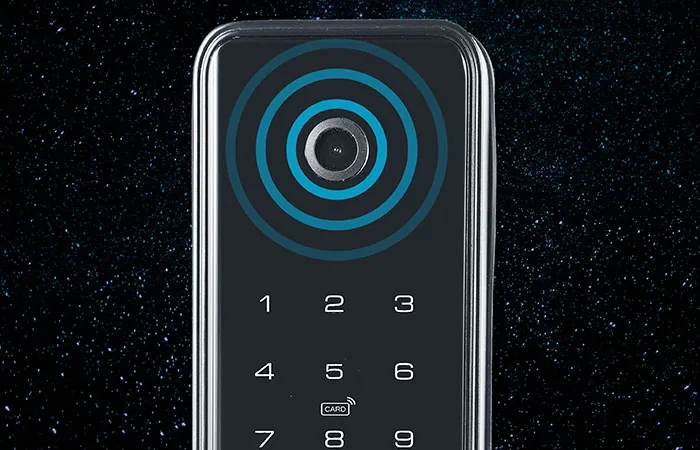
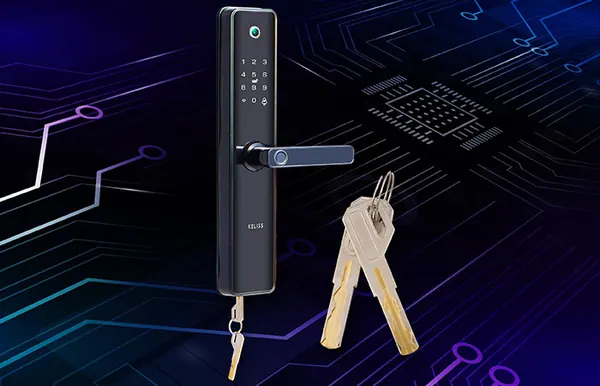
A smart lock replaces, or complements, the traditional key with other ways of opening the door. Each method has its strengths and suits certain people and certain situations better. Almost all Keliss locks combine several: it is worth working out which ones you need, and then choosing the model that brings them together.
Fingerprint
This is the most immediate method: you place your finger and the door opens, with nothing to remember or carry. It is convenient for those who live in the home, including older children and older people, and avoids the problem of forgotten keys.
Most Keliss locks use semiconductor fingerprint sensors, and some models recognise the finger even when wet, such as the Cipher CP2663 and the Pathos PT003 padlock. The number of fingerprints that can be stored varies widely from model to model: up to 300 fingerprints, codes and cards in total on the Astra AT011 or the Hydro HD021.
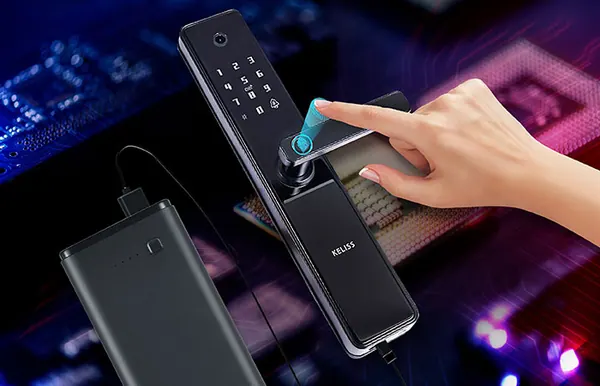
The keypad code
A code is useful for those not registered with a fingerprint: a visiting relative, a member of staff, a guest. It can be changed at any time and, on many models, one-time codes can be created. Some locks, such as the Cipher and Eikona, have an anti-peep code, designed to stop anyone watching from working out the code as you type it.
The app on your phone
With the app the lock can be managed remotely: you open the door for whoever is outside, grant and revoke access, create time-limited codes for guests and, on some models, receive notifications. Most Keliss models use the Tuya app. It is the most useful function for those who let a flat or manage a hospitality business, and for those who want to know who enters the home while they are out.
Some models add a camera or an audio and video intercom: the Astra AT010 takes photos of anyone using the lock, while the Cipher CP2663 and Eikona EK06 have a wide-angle 1080P HD camera and let you talk to the visitor.
The card
The card, IC or RFID depending on the model, is practical where many people come and go: offices, hospitality businesses, blocks of flats. It is easy to hand out and deactivate. Lumina, designed for the office and for 10-12 mm glass doors, stores up to 1000 cards, records entries and exits and exports reports to Excel via USB.
Other methods: face, finger veins and key
The most advanced models recognise faces in 3D: the Eikona EK01, Eikona EK06 and Cipher CP2663. The Cipher also recognises finger veins, a method designed to work with wet fingers or marked skin, useful for those whose fingerprints are hard to read.
Most models retain a mechanical key, usually with a hidden cylinder: this is the backup solution, for emergencies. Vortex, for example, opens with keypad code, fingerprint, card, Bluetooth, app and mechanical key.
Which method for whom
- Families: fingerprint for those who live in the home, keypad code for occasional family visitors.
- Short-let flats: app and one-time or time-limited codes for guests.
- Offices: card and attendance log, as on the Lumina.
- Doors exposed to rain: a water-protected model such as the Hydro HD021, rated IP66.
- Lockers, gates, luggage: a fingerprint padlock from the Pathos series.
You will find all the models on the smart locks page. Before choosing, check the door type and door thickness with your installer or door fitter: each product page states the permitted thicknesses, for example from 35 to 65 mm for the Vortex and from 40 to 120 mm for the Cipher and Eikona, and the type of lock body. For advice, contact us.